
A practical AI transparency workflow for WordPress.
AIVOW Lite helps you document AI systems, label content, show disclosure notices, publish a transparency page, and review informational readiness prompts. Plugin records stay in your WordPress database, and AIVOW Lite makes no plugin-initiated external API calls.
Use the features together or one at a time.
AIVOW Lite is a complete free product, not a time-limited trial.
AI Systems Registry
Document providers, purposes, data categories, external processing, retention, human oversight, public disclosures, provider-marking information, and system status.
AI Content Badges
Label posts, pages, WooCommerce products, the Shop page, and supported public taxonomy archives with clear AI usage statuses.
Global AI Banner
Show an informational or acknowledgement-based site-wide notice with controlled placement and styling.
Disclosure Shortcode
Display one active system disclosure anywhere WordPress processes shortcodes.
Interaction Gate
Reveal selected content after a visitor acknowledges an AI-related notice. The gate is not authentication or secure protection for sensitive content.
Public Transparency Page
Create a draft transparency page based on current records and review it before publishing.
Lightweight AI Metadata
Add optional AI-related meta tags to labelled content and supported public archives. The output is disabled by default and enabled only when you choose to use it.
Article 50 Readiness Workflow
Review informational readiness areas without presenting a compliance score or certification.
AI Literacy Checklist
Record operational awareness, system limitations, human review responsibilities, and escalation processes.
WooCommerce Support
Label products, the Shop page, product categories, and product tags.
Document AI systems in one place.
Create structured records, manage them as Active, Draft, or Inactive, and copy disclosure shortcodes directly from the registry. Active systems are available to public outputs, while Draft and Inactive systems remain available in the WordPress admin.
Read the registry guide →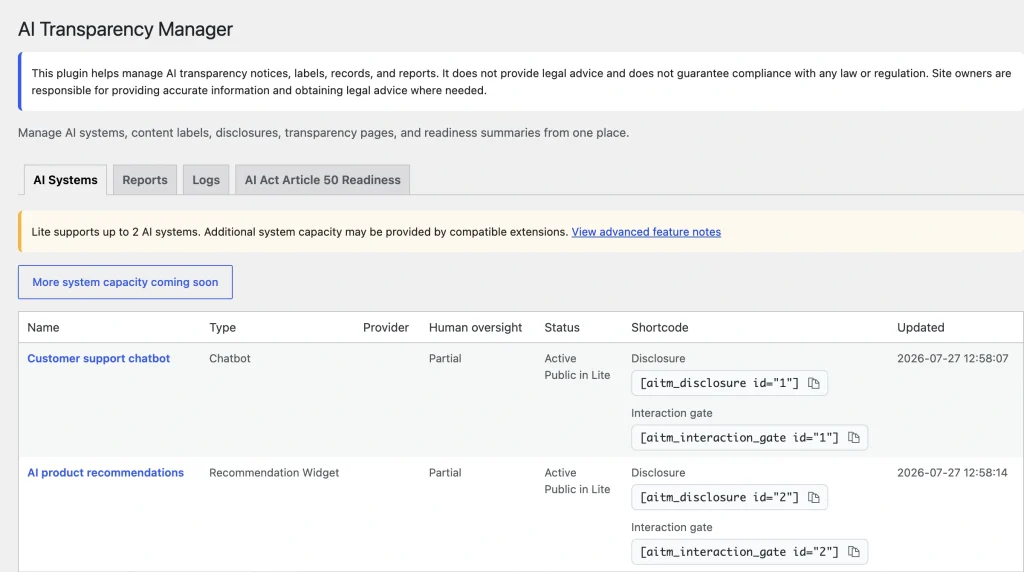
Choose the public signal that fits the context.
Use a badge for concise content labels, a banner for site-wide context, a disclosure for one system, or an interaction gate to request acknowledgement before revealing selected content. The gate is not authentication, authorization, a paywall, or secure protection for sensitive content.
[aivow_disclosure id="123"][aivow_interaction_gate id="123"]...[/aivow_interaction_gate]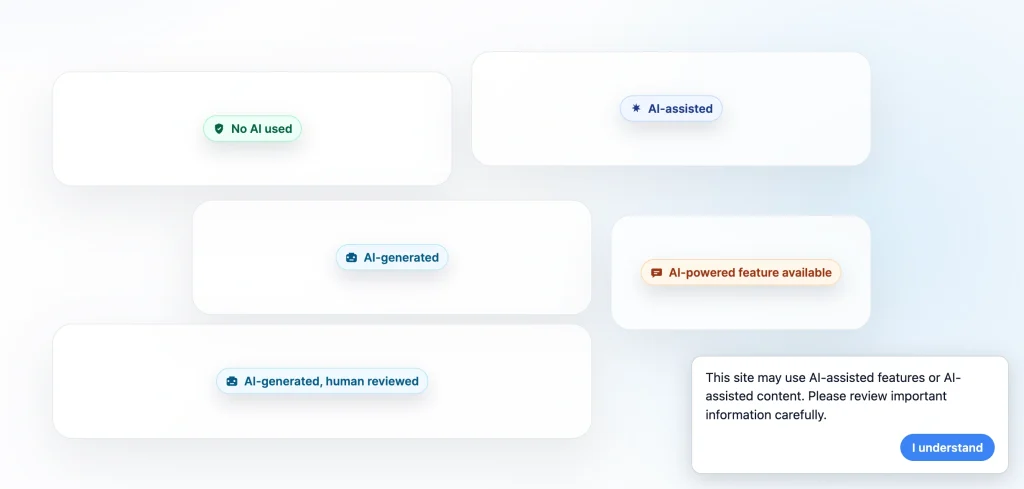
Publish useful information without claiming certification.
AIVOW Lite creates a draft transparency page from saved AI systems and readiness data for you to review and complete. The readiness matrix uses informational statuses such as Configured, Partial, Not assessed, and Manual review required.
Read the readiness guide →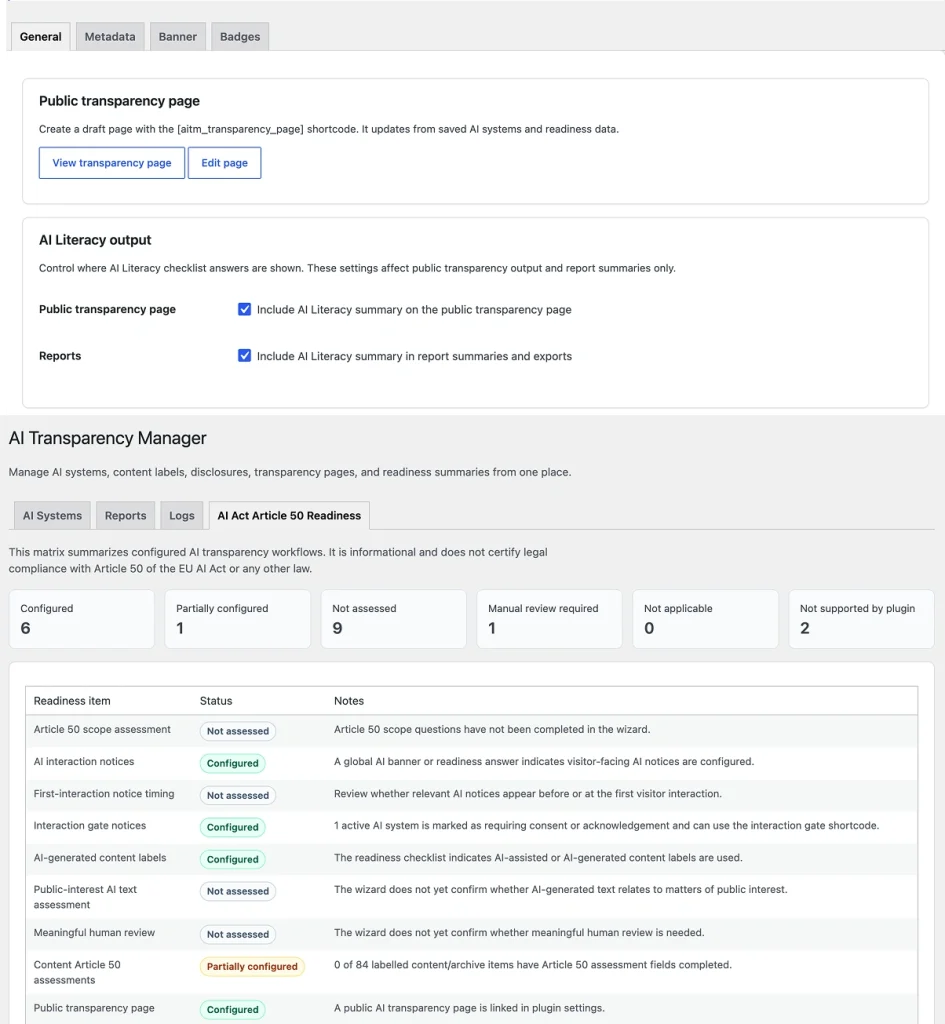
Lightweight metadata is optional.
AI-related meta tags are disabled by default. They do not provide watermarking, C2PA credentials, durable provenance, provider-side marking, or legal certification.
Metadata guide →WooCommerce uses the same workflow.
Apply badges and optional metadata to products, the Shop page, product categories, and product tags without automatic catalog scanning.
WooCommerce guide →